PSMA interpretation refinement
Ongoing training and refinement focus on more appropriate PSMA PET/CT interpretation, with the aim of reducing overdiagnosis and false-positive lesion calls. This remains development work requiring physician review.
A personal imaging project
Developed by Dr Zool Hilmi Bin Awang
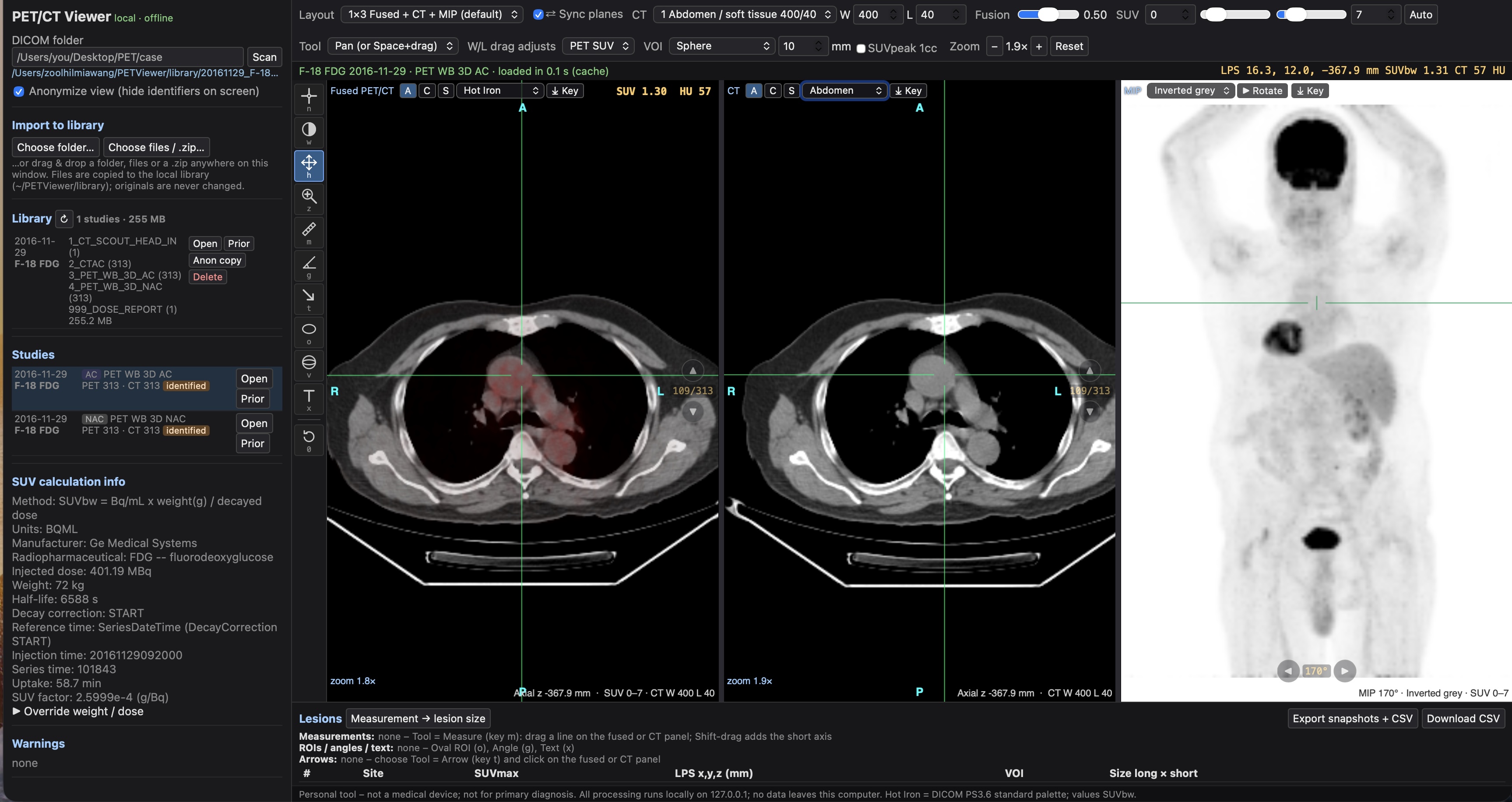
Maestro is a personal DICOM viewer for reviewing PET/CT images on a local computer. Beta 1.8.2 brings ongoing training and refinement for PSMA scan interpretation, with the aim of reducing overdiagnosis. The reporting panel now sits below the scans, giving the image viewports more space.
DICOM is the standard file format used to store medical images and their associated information. Maestro is still an offline beta project; this website showcases its development.
Beta 1.8.2 · Development update ·
Maestro DICOM Viewer has reached Beta 1.8.2. This update includes continued training and refinement to help the system interpret PSMA PET/CT scans more appropriately, with a focus on reducing overdiagnosis and false-positive lesion calls. These are development goals; the beta still requires physician verification of every proposed finding.
The workspace has also been reorganised: reporting is now below the image viewports. This gives the scans a larger viewing area while keeping the lesion list, measurements and draft report together in the lower part of the screen.
Development update ·
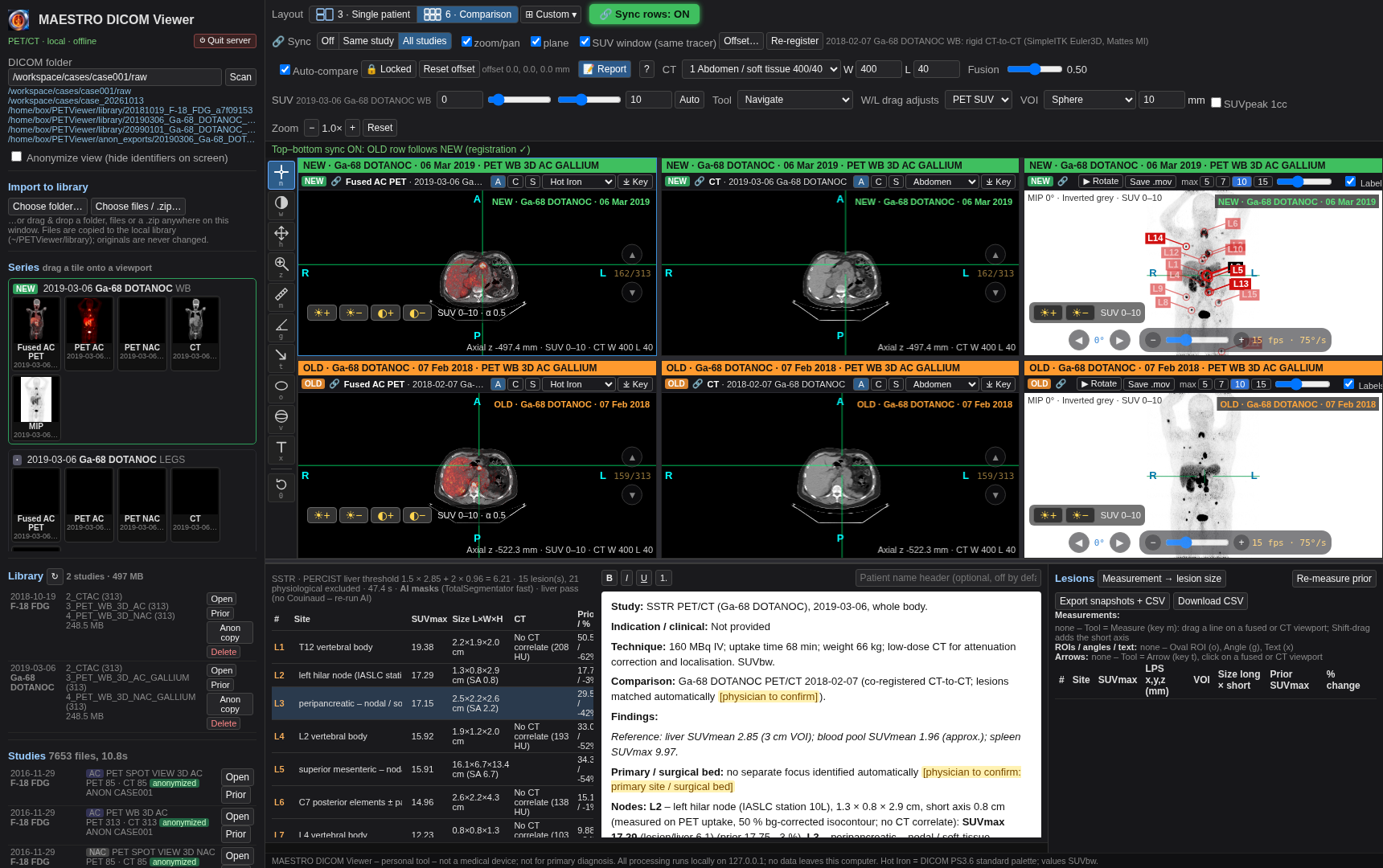
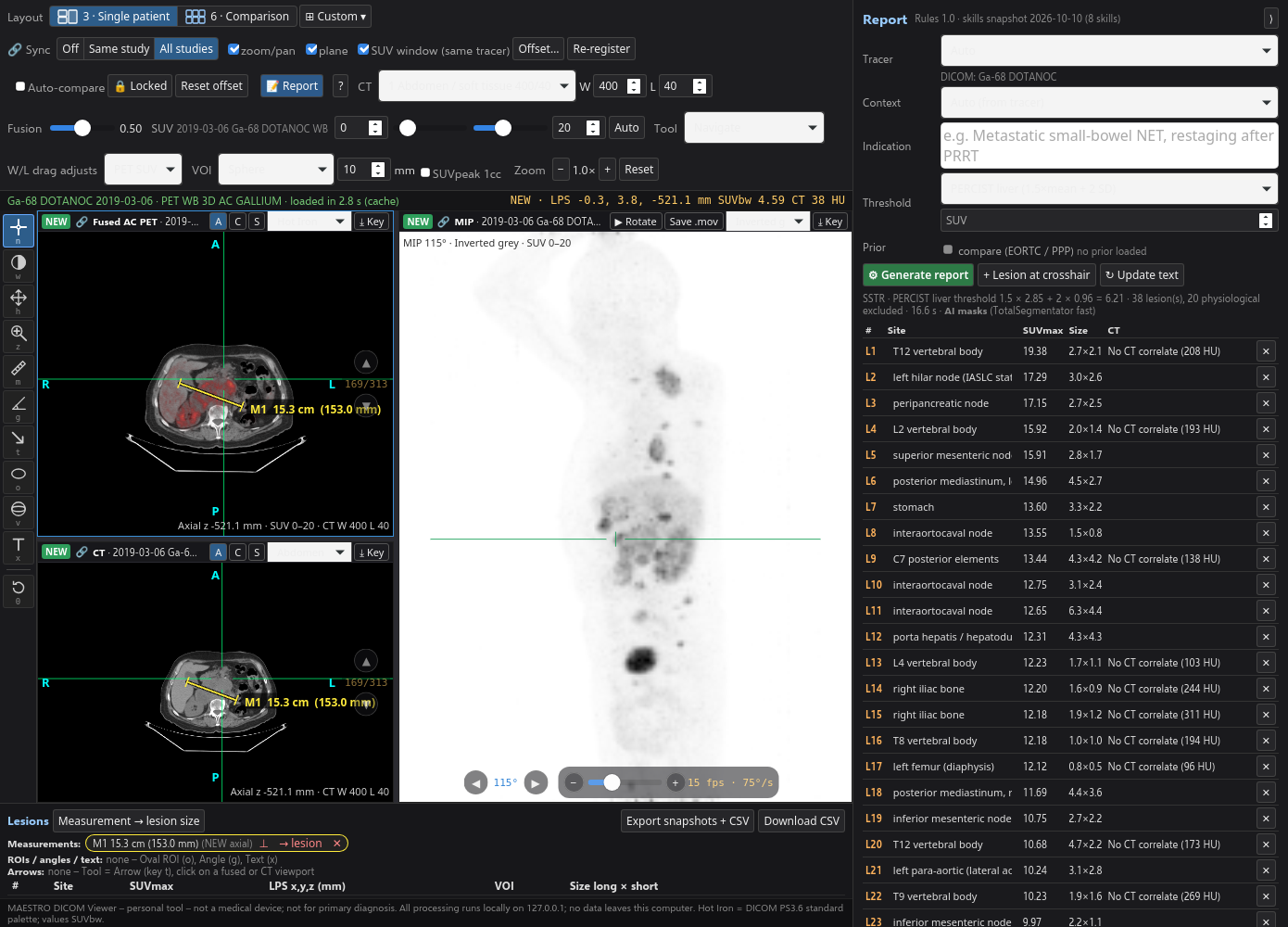
I have updated Maestro DICOM Viewer to make lesion review more visual. Numbered labels such as L1, L2 and L3 appear on the whole-body maximum intensity projection (MIP), while the lesion list records proposed anatomical locations, SUVmax and dimensions. The fused PET/CT and CT views provide the anatomical detail needed to check each finding.
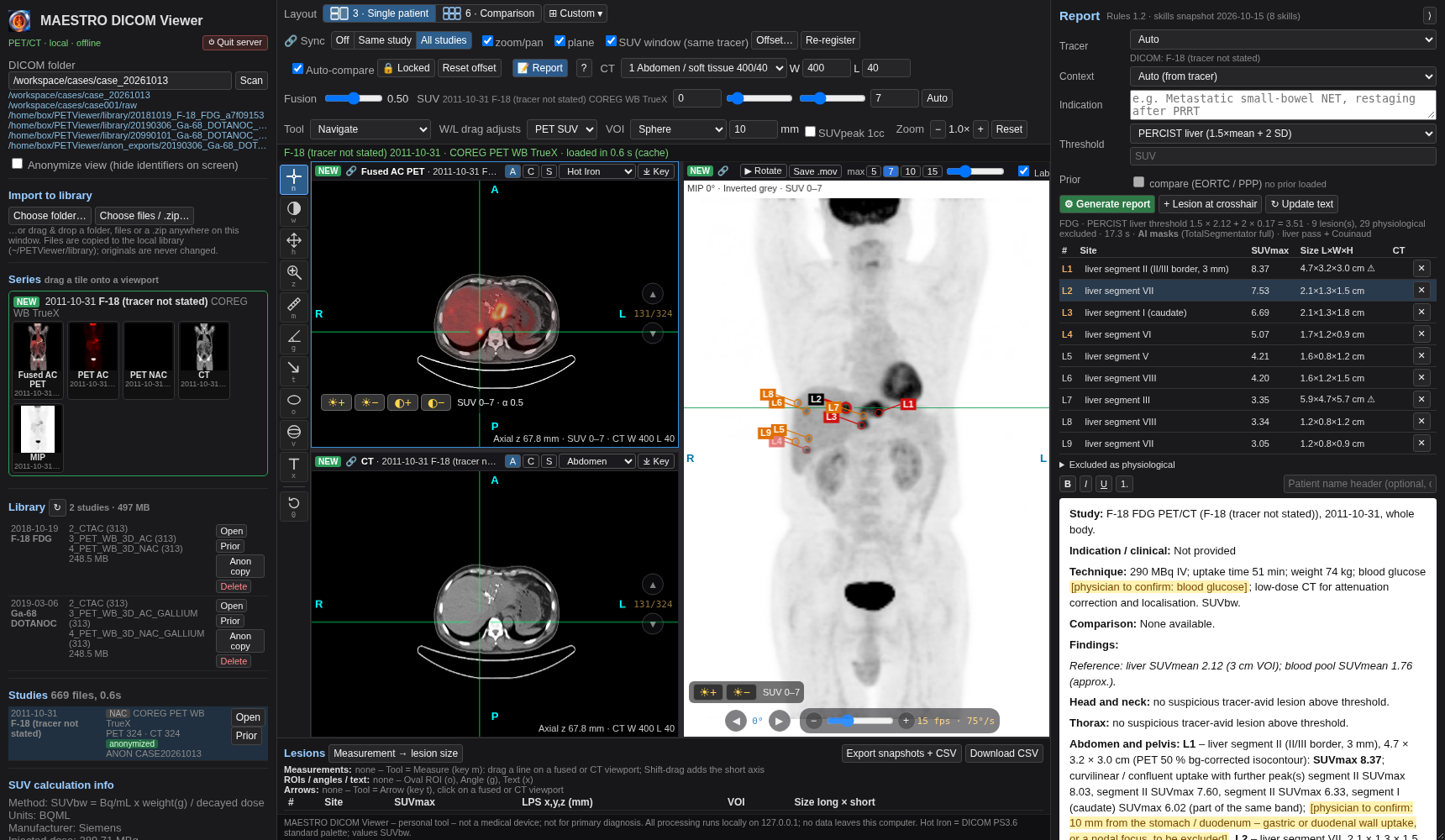
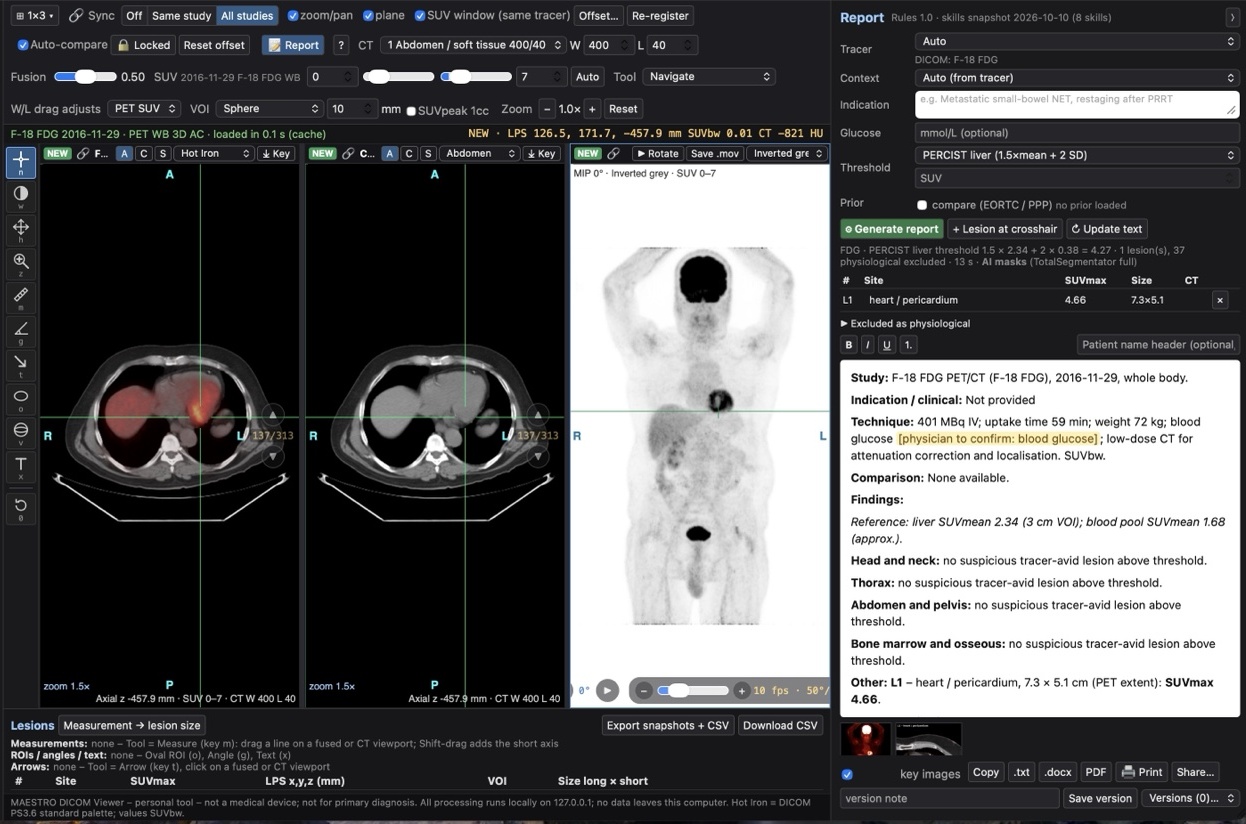
The key-image gallery adds a labelled whole-body overview and lesion-focused PET/CT images with arrows. This brings the lesion number, proposed location and supporting image together for review. It is an encouraging step forward in my personal imaging project.
Development update ·
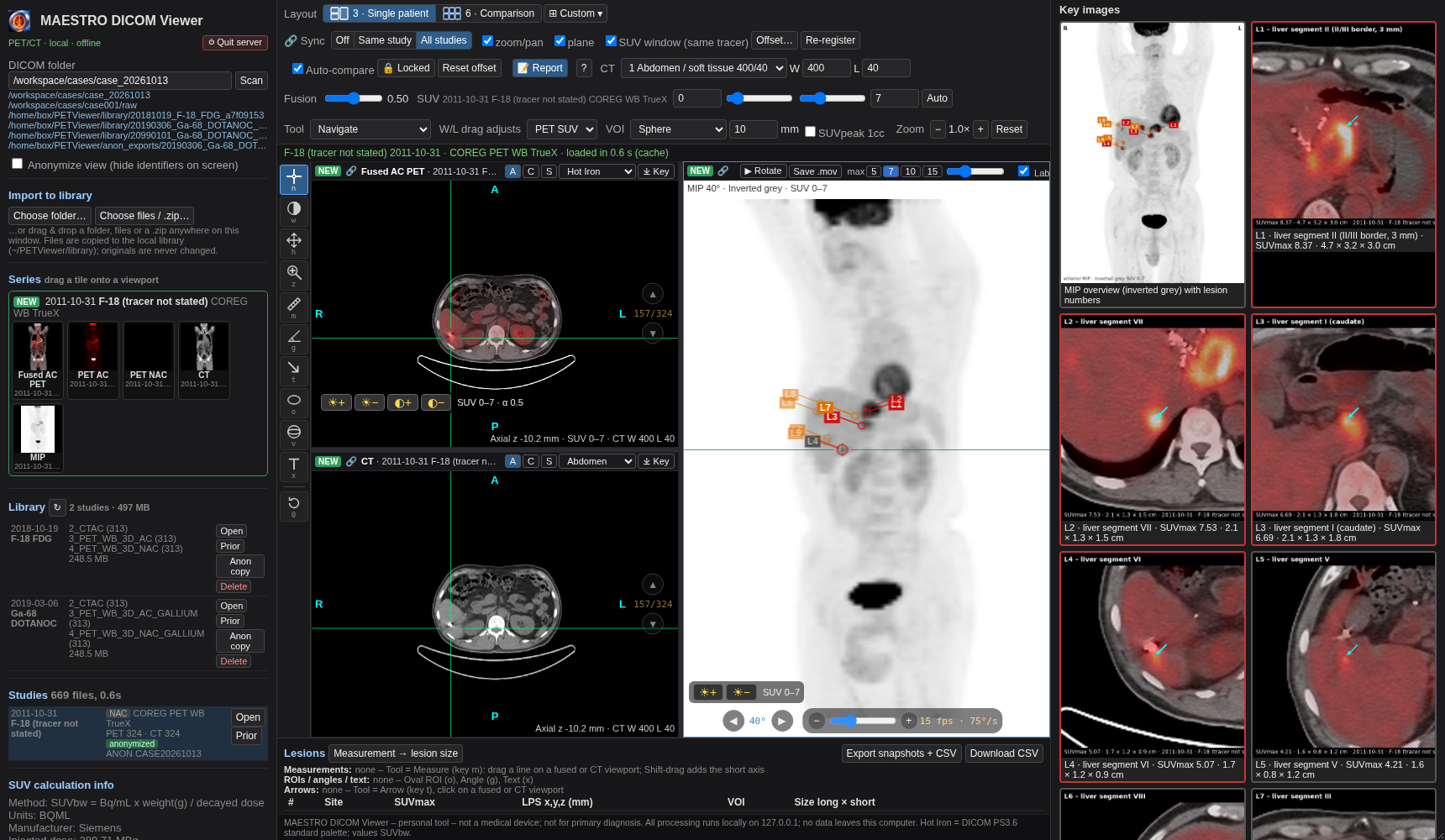
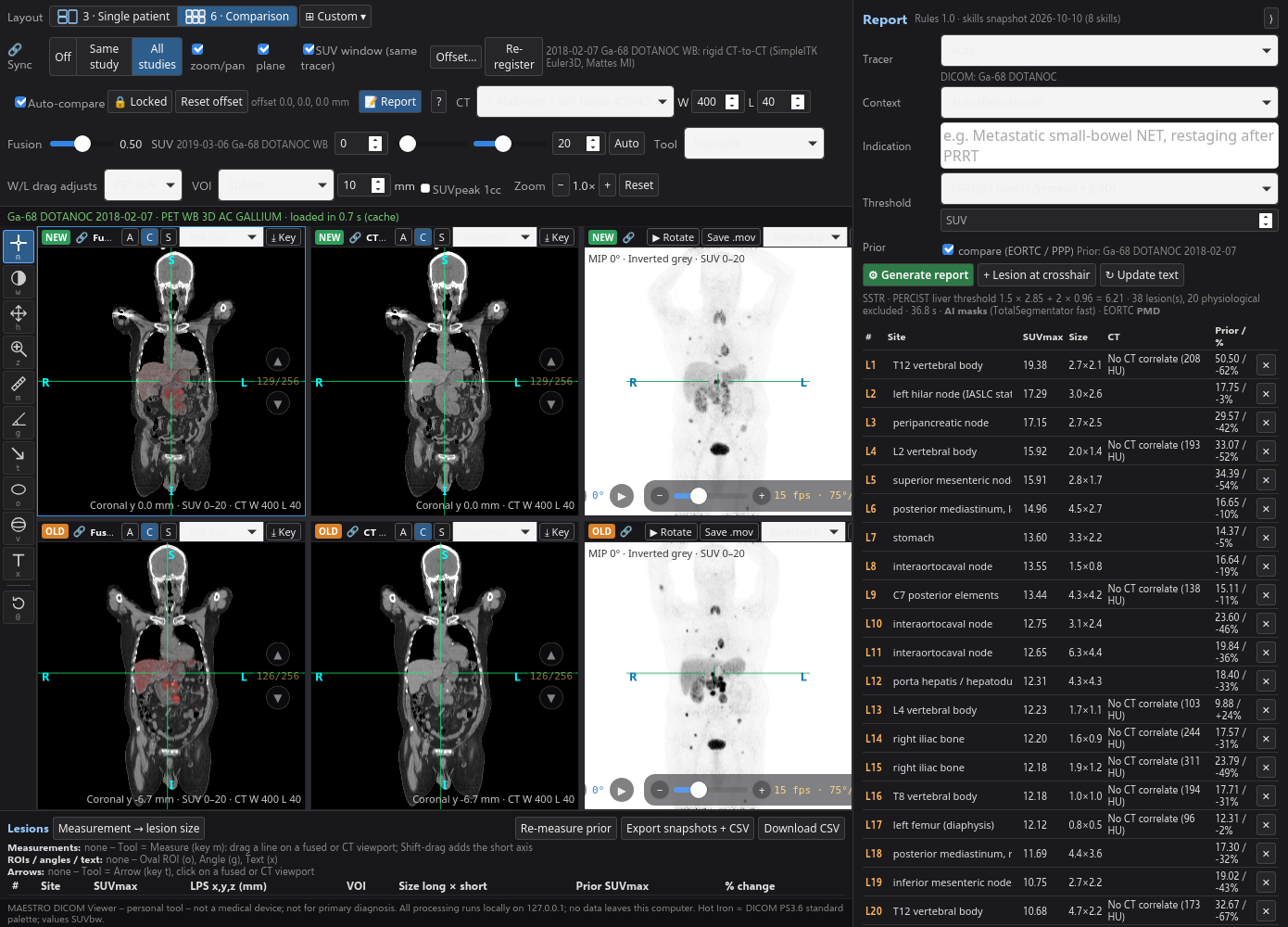
I have updated Maestro again to support a three-panel view for a single examination and a six-panel layout for comparing current and previous studies. Custom layouts provide additional flexibility, while the reporting panel keeps proposed lesion entries, measurements and draft text next to the images being reviewed.
Ongoing training and refinement focus on more appropriate PSMA PET/CT interpretation, with the aim of reducing overdiagnosis and false-positive lesion calls. This remains development work requiring physician review.
The draft report and lesion tables sit below the image viewports, giving the scans more room. Review the images above, then check the proposed findings, measurements and report text in the lower workspace.
Lesion labels such as L1, L2 and L3 connect the whole-body MIP overview with the proposed anatomical locations in the lesion list. Review the fused PET/CT and CT views to check where each finding lies.
A key-image gallery brings together a labelled MIP overview and lesion-focused PET/CT images, with arrows, proposed sites, SUVmax and dimensions. These visual references help the physician check each entry against the images.
Review fused PET/CT, CT and whole-body MIP together for one examination. Switch the slice views between axial, coronal and sagittal planes to explore uptake alongside anatomical detail.
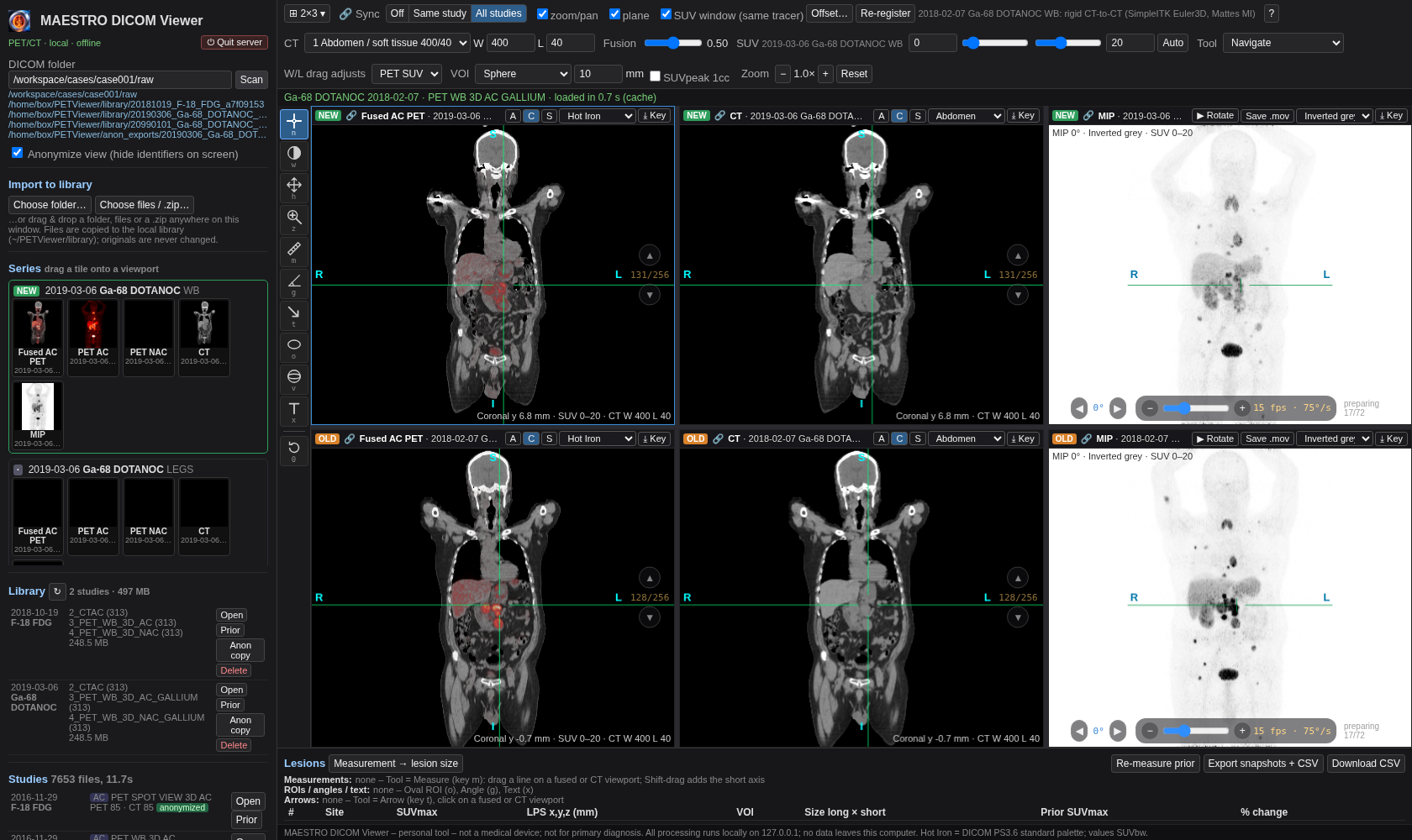
Bring current and previous examinations into the same workspace, with fused PET/CT, CT and MIP for each study. The layout supports a clearer review of corresponding regions over time.
Arrange series in the available viewports and use synchronised zoom, pan and plane controls. Study alignment and offset controls help position comparison images; anatomical correspondence still needs to be checked.
Adjust PET/CT blending, CT window settings and the PET SUV display range. Rotate or play the whole-body maximum intensity projection (MIP) to explore tracer distribution from different angles.
Use rulers, annotations, regions of interest and volumes of interest to inspect findings. The lesion table brings together proposed sites, SUVmax, size and CT information for physician verification.
When a prior examination is loaded, the reporting workspace can display previous SUV values and percentage changes. These are draft comparison outputs: lesion matching, measurements and their clinical meaning require review.
Import DICOM folders, files or ZIP archives and organise studies locally. Export image snapshots, measurement tables in CSV format and rotating MIP clips for the review workflow.
Development update · 11 October 2026
I upgraded my Maestro DICOM Viewer agent to produce a draft PET/CT report within the viewing workspace. Alongside image review, the agent can propose lesion entries and organise its observations into a report for physician review. This was an encouraging step forward in the development of my personal imaging project.
Project showcase: this personal offline beta tool is not a medical device and is not intended for primary diagnosis. Draft reports and comparison outputs require physician verification.
Second imaging project · 12 October 2026
Developed by Dr Zool Hilmi Bin Awang
I have developed Maestro e-Anatomy as my second imaging project, alongside Maestro DICOM Viewer. It is an easy-to-use cross-sectional anatomy reference for exploring labelled structures on CT and PET/CT images.
My aim is to give physicians a practical anatomy companion: review a scan, refer to the corresponding labelled region, and compare the structure with the anatomy shown in the atlas.
The interface provides PET/CT fusion, CT soft-tissue and CT lung display choices, allowing anatomy to be explored in different image views.
Anatomical labels and coloured outlines help identify organs, bones and muscles and explore their relationships across axial image slices.
Select the structures to display, including skeletal and muscle groups, lung lobes, the heart, digestive and urinary systems, hepatic segments and arteries. Some additional categories are marked as coming soon.
Browse image slices, zoom in or out and fit the image to the screen. The screenshots also show controls for filled anatomical overlays and label display.
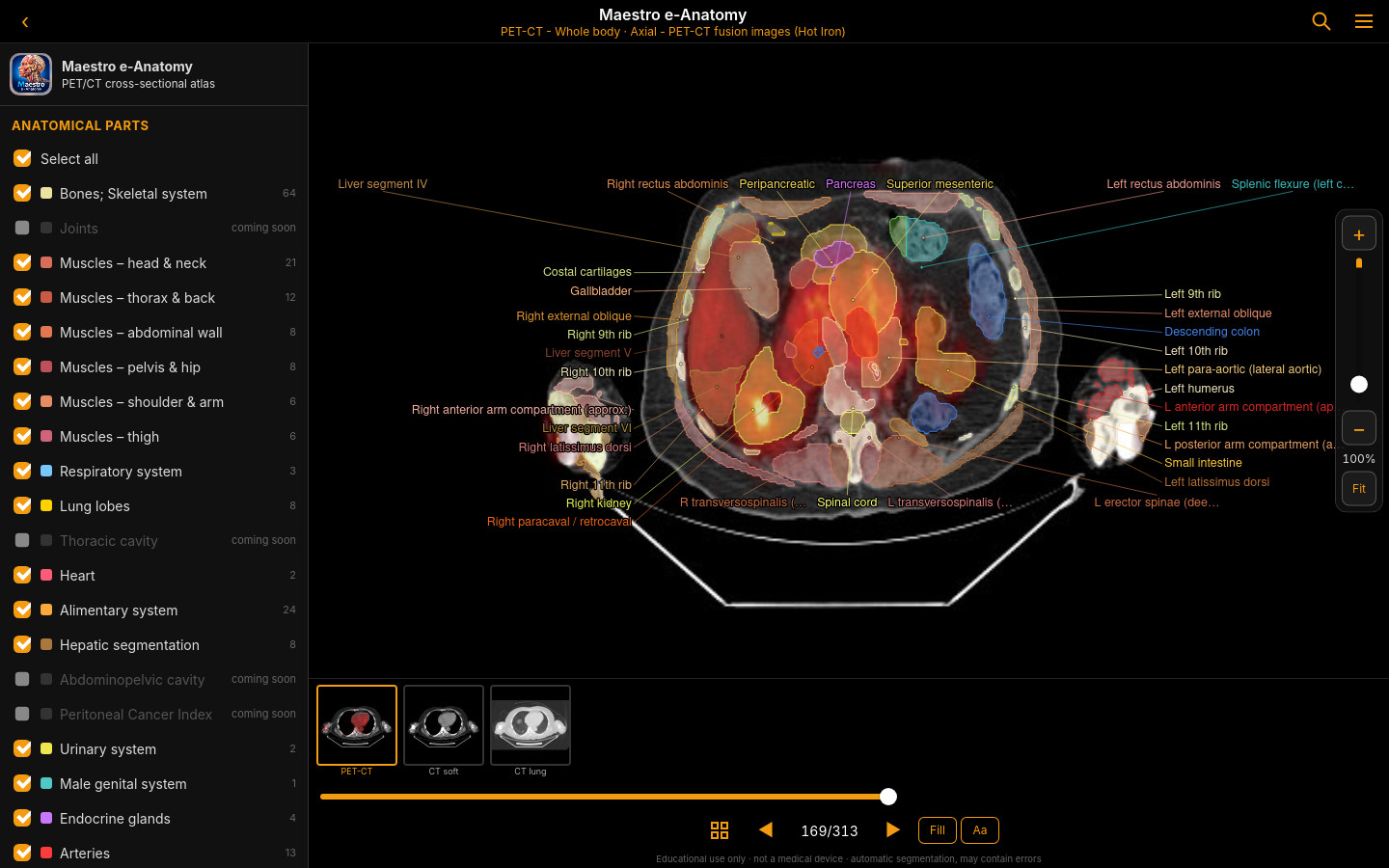
The intended benefit is a convenient reference for revising cross-sectional anatomy, teaching and discussing imaging. A physician can compare the position of an organ, muscle or vessel seen on a CT or PET/CT scan with the corresponding labelled anatomy in the atlas.
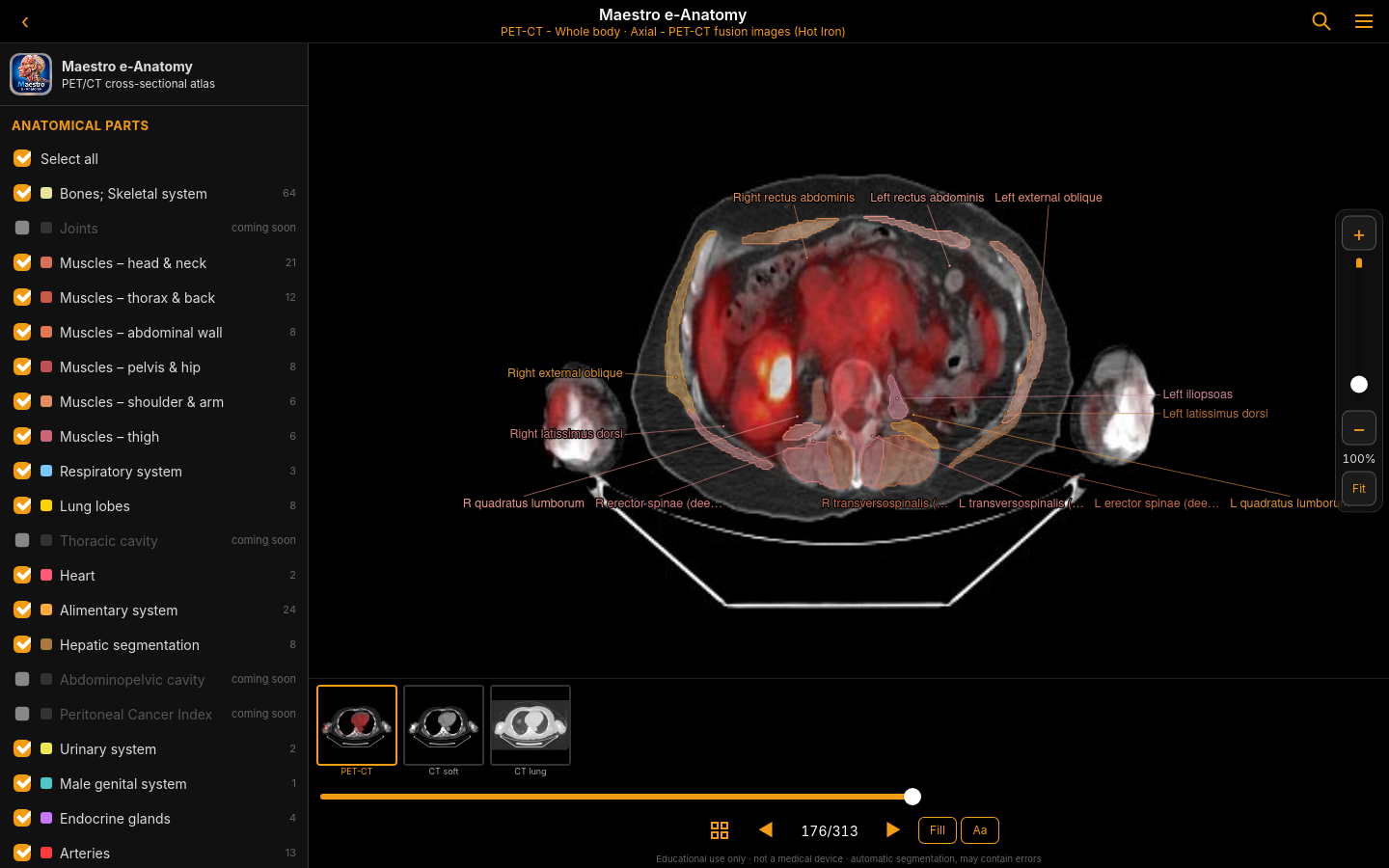
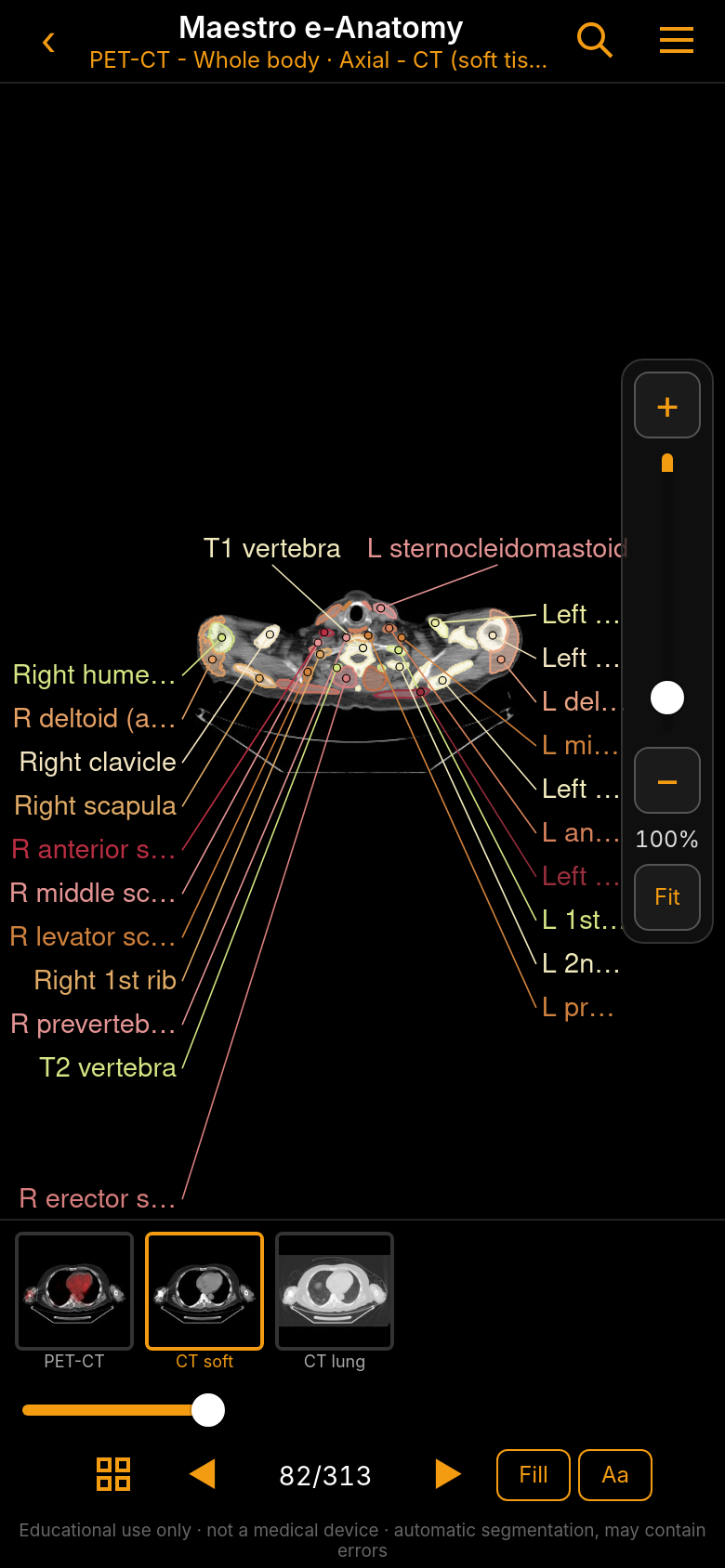
Anatomy at a glance
The portrait screenshot shows how the atlas presents a CT slice with anatomical labels, PET/CT and CT display choices, a slice slider and zoom controls in a compact layout.
Both Maestro projects reflect my interest in developing practical imaging tools: the DICOM Viewer for reviewing studies, and e-Anatomy as a companion reference for understanding the structures seen on those images.
These images show the current project interface. Maestro e-Anatomy is for educational use and is not a medical device. Anatomical labels and automatic segmentation may contain errors and require verification by a qualified physician.